 kagent
Install kagent in One Command with the kagent CLI#
Getting kagent running takes three things: a Kubernetes cluster, a model API key, and one command. This post walks through all three, start to finish, in about five minutes.
Here's the whole thing, if you just want to copy and paste:
kind create cluster --name kagent --image kindest/node:v1.37.0export OPENAI_API_KEY="your-api-key-here"curl -sL https://kagent.dev/install | bash && kagent installkagent dashboard
The rest of this post explains each line.

What you need#
| Tool | Why |
|---|---|
kubectl | To talk to your cluster |
helm 3 | The kagent CLI runs helm to install each chart |
kind v0.32.0 or later | Only if you want a local cluster |
| A model API key | OpenAI, Anthropic, Gemini, or Ollama |
Step 1: Get a cluster#
kagent needs Kubernetes 1.37 or later. The easiest way to get one is a local kind cluster:
kind create cluster --name kagent --image kindest/node:v1.37.0
Already have a 1.37+ cluster? Use it. You don't need to change anything on the API server. To double-check that it's new enough, run:
kubectl api-resources --api-group=certificates.k8s.io
You should see clustertrustbundles and podcertificaterequests in the list, both at certificates.k8s.io/v1.
Step 2: Set your model API key#
kagent needs a model to think with. Pick your provider and export its key:
| Provider | Command |
|---|---|
| OpenAI | export OPENAI_API_KEY="your-api-key-here" |
| Anthropic | export ANTHROPIC_API_KEY="your-api-key-here" |
| Gemini | export GOOGLE_API_KEY="your-api-key-here" |
| Ollama (Ollama Cloud) | export OLLAMA_API_KEY="your-api-key-here" |
Step 3: Install kagent#
Now the one command. It does two things: downloads the kagent CLI, then installs kagent into your cluster.
If you use OpenAI, that's the default:
curl -sL https://kagent.dev/install | bash && kagent install
For any other provider, add the --provider flag:
# Anthropiccurl -sL https://kagent.dev/install | bash && kagent install --provider Anthropic# Geminicurl -sL https://kagent.dev/install | bash && kagent install --provider Gemini# Ollamacurl -sL https://kagent.dev/install | bash && kagent install --provider Ollama
It takes a few minutes. While you wait, here's what kagent install is putting in your cluster, in this order:
- The CRDs, the resource types like
AgentandHarness. - Agent Substrate, the runtime that every kagent agent runs on. It sandboxes each agent and suspends it when it's idle.
- A development PostgreSQL database, where kagent keeps conversations and schedules.
- kagent itself: the controller, the UI, and the built-in tools.
You don't install any of those separately. The CLI does it all.
Two things that might trip you up#
-
It asked for my password. The install script puts the CLI in
/usr/local/bin, and needs your password to write there. To install into$HOME/binwithoutsudoinstead, run:curl -sL https://kagent.dev/install | bash -s -- --no-sudo -
I already had an older kagent installed. Your shell might keep running the old one, and
kagent installwould then install the older release. Runkagent versionand check thatkagent_versionmatches the release the script just downloaded.
Step 4: Check that it worked#
Check that the pods are running:
kubectl get pods -n kagent
Every pod should say Running. Example output:
NAME READY STATUS RESTARTS AGEkagent-controller-56c67b6cd7-hqj5z 1/1 Running 3 2mkagent-default-774d4496bd-sfx4b 1/1 Running 0 2mkagent-postgresql-856b475f59-n258n 2/2 Running 0 2mkagent-tools-54959b659c-lfkrz 1/1 Running 0 2mkagent-ui-5fdb6fd85c-vzb2z 1/1 Running 0 2m
Then check that the worker pool is ready. This is the pool of sandboxed Workers that your agents run on:
kubectl get workerpools -n kagent
Example output:
NAME DESIRED REPLICAS READY SANDBOXCONFIG RESOLVED AGEkagent-default 1 1 1 gvisor-default True 2m
If READY shows 1, you're good.
Step 5: Open the dashboard#
kagent dashboard
This forwards the UI to http://localhost:8082. On macOS, it also opens it in your browser. On Linux or Windows, port-forward the UI service yourself and open that address:
kubectl port-forward -n kagent svc/kagent-ui 8082:8080
The dashboard lists your agents, models, MCP servers, and the tools that kagent discovered.
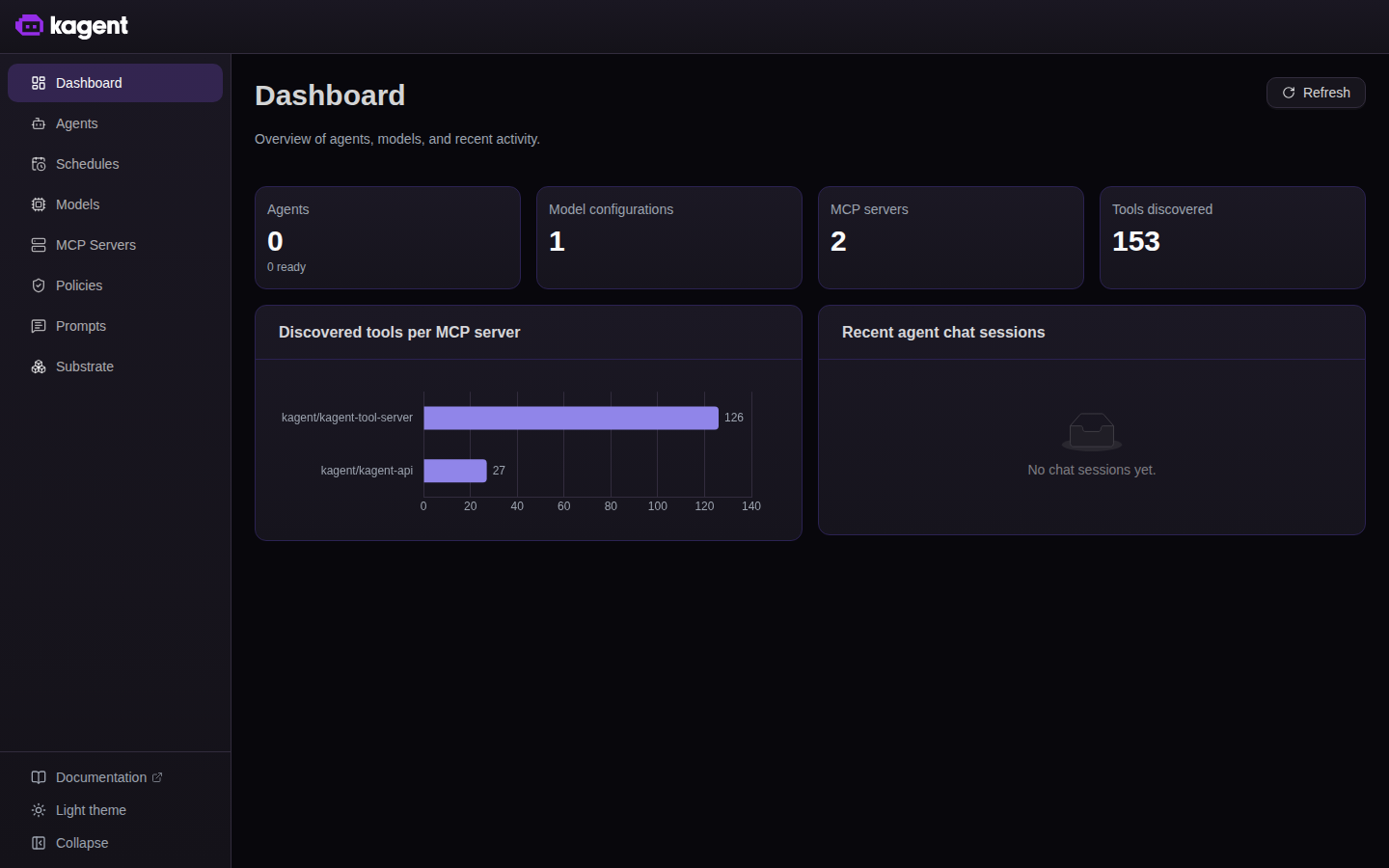
That's it. kagent is installed.
Good to know#
-
Want a specific release? The script installs the newest one by default. To pin a version, pass
--version:curl -sL https://kagent.dev/install | bash -s -- --version v1.0.1kagent version --client -
Which platforms does the script support? macOS and Linux on
amd64andarm64, and Windows onamd64from Git Bash or MSYS. -
Is this production-ready? The CLI install is built for trying kagent out, because it deploys a development PostgreSQL database. For production, install with Helm against your own database.
-
Done testing? If you used the kind cluster from step 1, one command removes everything:
kind delete cluster --name kagent
What to build next#
You have a running kagent. Now give it something to do:
- Build a Personal AI Assistant with kagent and Agent Substrate: your first agent, with a tool and a daily schedule, built in the UI.
- Build a CVE Agent with kagent and Agent Substrate in a Secure Sandbox: an agent that reads the internet safely, with default-deny egress.
- kagent 1.0 Is Here: Open Source Agents on Agent Substrate: what you just installed, and why it's built this way.